No. 011  ·  Field notes from the team Est. 2020

The NBIT Journal

Engineering notes, security tips & culture from the people who build it


Reasons to update your system
🏷 General Jun 10, 2024
Reasons to update your system

Why it matters

As businesses expand, it becomes imperative to update their systems and processes. Dependence on outdated and inefficient technology can impede progress towards organizational objectives.

"Security patches. Faster systems. Lower costs long-term."
READ MORE β†—
Social Media security tips to protect your business
🏷 General Feb 6, 2023
Social Media security tips to protect your business

Why it matters

Social media is a key part of your marketing strategy, but it can also be a major security risk. By being proactive you can help protect your business from cybercrime.

"Weak passwords open doors. Policy closes them."
READ MORE β†—
Habits of highly effective software Developers
πŸ’» Technical Dec 16, 2022
Habits of highly effective software Developers

Why it matters

Some habits are common in successful developers. It takes years to become a master of software development, and the learning never stops.

"Clean workspace. Clear focus. Continuous learning."
READ MORE β†—
Cyber Threats: How to stay safe online?
🏷 General Sep 9, 2022
Cyber Threats: How to stay safe online?

Why it matters

As we all know, cybersecurity is a major concern for everyone. Young children and students are the most vulnerable group of individuals online.

"Phishing, malware, brute force β€” know the threats."
READ MORE β†—
How to stay alert and focused while coding. 8 useful tips.
🏷 General Nov 1, 2022
How to stay alert and focused while coding. 8 useful tips.

Why it matters

For every developer, coding is the core activity that requires a high level of concentration for effective output, despite the distractions around us.

"8 tips. Fewer distractions. Sharper focus."
READ MORE β†—
Non-Technical Skills for Developers
🏷 General Oct 10, 2022
Non-Technical Skills for Developers

Why it matters

Technical skills are only one aspect of a developer. There are non-technical skills that matter just as much for working well with a team.

"Code is only half the job."
READ MORE β†—
Benefits of E-commerce Business
🏷 General Aug 8, 2022
Benefits of E-commerce Business

Why it matters

E-commerce is a business model where buyers and sellers exchange goods and services over the internet β€” open to a wider market at lower cost.

"Lower costs. Wider reach. Higher margins."
READ MORE β†—
Using Docker Compose and Amazon ECR in Azure Devops Pipelines
πŸ’» Technical Jan 13, 2021
Using Docker Compose and Amazon ECR in Azure Devops Pipelines

Why it matters

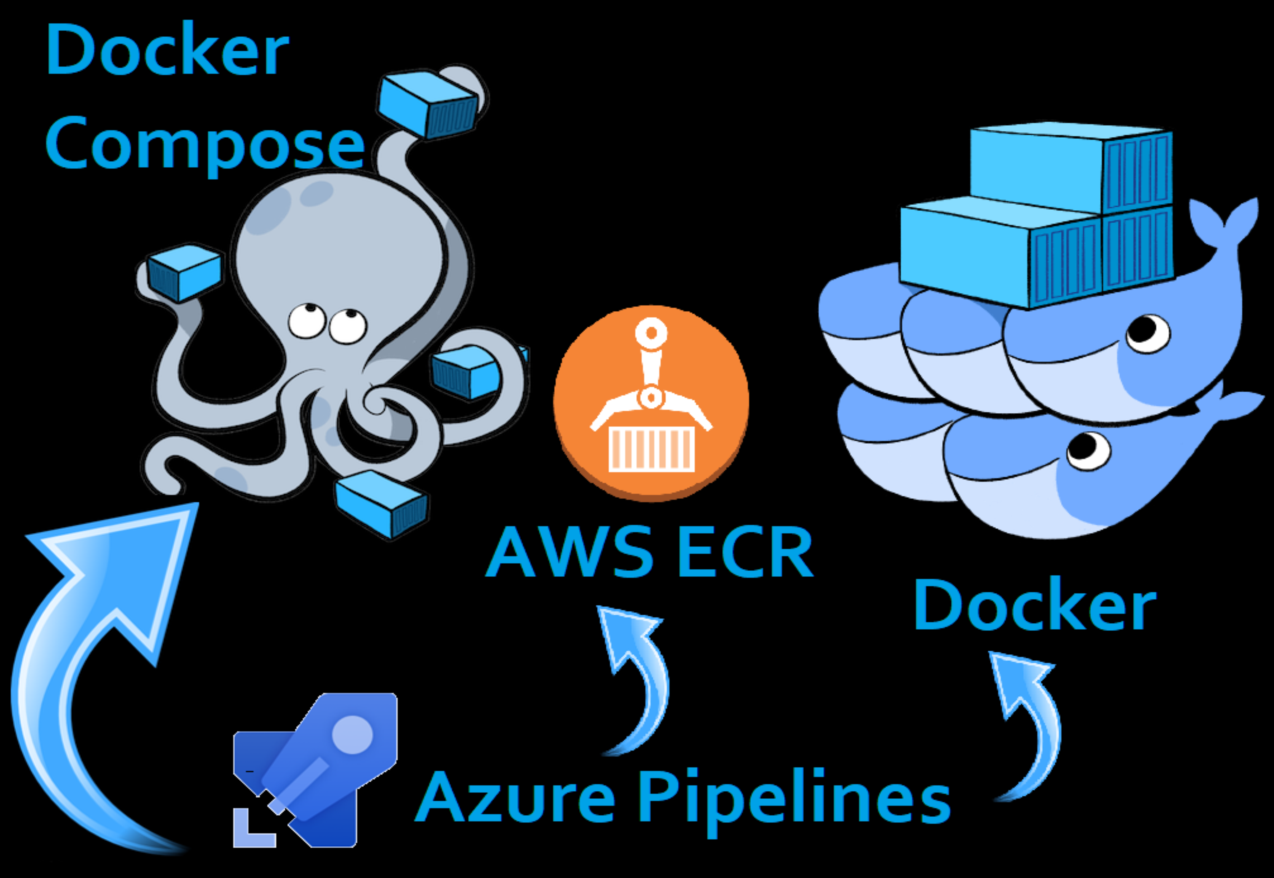
Docker Compose, Azure Pipelines and Amazon ECR let you automatically build, store and run multiple container images without the manual overhead.

"One YAML file. Multiple containers. Zero hassle."
READ MORE β†—
NBIT Social Contract
🏷 General Jan 6, 2021
NBIT Social Contract

Why it matters

Ground rules the team follows for meetings, communication, and ways of working β€” written together, and honoured by everyone.

"Clear agendas. Honest communication. Real teamwork."
READ MORE β†—
Tips to stay productive while Working from Home
πŸ§‘β€πŸ’Ό HR Aug 17, 2020
Tips to stay productive while Working from Home

Why it matters

Working from home isn't the same as a formal office. Despite the hurdles, many companies have seen a rising productivity level among remote employees.

"To-do lists. Comfortable space. Short breaks."
READ MORE β†—
How to make remote hiring effective?
πŸ§‘β€πŸ’Ό HR Aug 17, 2020
How to make remote hiring effective?

Why it matters

With thoughtful consideration at each stage, remote hiring can be made just as effective and efficient as hiring onsite.

"Right candidate. Virtual interview. Smooth onboarding."
READ MORE β†—
Reasons to update your system

Reasons to update your system

As businesses expand, it becomes imperative to update their systems and processes accordingly. Dependence on outdated and inefficient technology can impede progress towards organizational objectives. This transition ensure your business achieves its goals effectively.

There are several reasons why updating systems is crucial:

Security Enhancement: Outdated software poses significant security risks as they are vulnerable to exploitation by hackers and cybercriminals. Regular updates are essential to patch any vulnerabilities and fortify the system against potential breaches. Maintaining reliable security measures is paramount, especially since the release of software update notes often exposes exploitable entry points to the public. Failure to address these vulnerabilities could render the organization susceptible to unauthorized access and compromise of sensitive data.

Efficiency Optimization: Updated software not only introduces enhanced features but also improves operational speed, resulting in a superior end-user experience. This optimization translates into increased efficiency across various business functions.

Customer Satisfaction: Embracing modern technology demonstrates a commitment to staying abreast of industry advancements, enhancing the organization's reputation and credibility. By investing in systems that provide a seamless customer experience, businesses can foster customer satisfaction, thereby boosting productivity and efficiency.

Cost Management: The repercussions of disruptions caused by unstable systems and outdated software can escalate rapidly, leading to significant financial implications. Investing in upgraded systems mitigates such risks by minimizing downtime and potential losses associated with system failures, thereby optimizing cost-effectiveness.

The imperative to update systems and processes as businesses evolve cannot be overstated. By prioritizing security, efficiency, customer satisfaction, and cost management through timely updates, organizations can adapt to the dynamic landscape of technology and maintain a competitive edge in their respective industries.

Social Media security tips to protect your business

Social Media security tips to protect your business

Social media is an important part for your marketing strategy. But you may not know that social media can also be a major security risk. Social media threats could affect your business to be safe. By being proactive you can help protect your business from cybercrime.

Common social media security issues faced by business

Let's start with the most common issues.

  1. Inactive accounts: Hackers tend to target unattended social media accounts and post fraudulent messages that can tarnish the name of the brand. That's why its important to de-activate or delete the account if they are not used.
  2. The human Factor: Simple acts such as clicking on malicious link or downloading files from a dubious source can create social media risks for businesses.
  3. Vulnerable third-party apps: Even with a secured account, there are still the risk of hackers gaining access through third party apps connected to your account.
  4. Phishing scams: Hackers offer fake coupons of well-known brands to sound more convincing this technique is used by cybercriminals to gain personal information and banking details.
  5. Imposter accounts: Imposter account that looks similar to your company account and uploading similar content and pictures can damage your reputation. They contact your customers with fake offers. They target job seekers and request personal information in exchange for jobs.

Tips to safeguard your business

  1. Implement policy: Ensure social media security for business by using it responsibly. Create policy outlining corporate image to be maintained, posts to be uploaded, how to prevent scams. Person responsible for maintaining corporate account.
  2. Training on social media issues: Training will help ensure policy being implemented effectively. It will bring clarity to guidelines and employees to share concerns. Training sessions will help to familiarize with latest social media threats and how to safely use social media for business growth.
  3. Multi-level approval: Handpick capable employees for managing task and setup a multi layer system of approval so that right content are posted.
  4. Strong password: Have a good password policy will help you keep your accounts secured. Using passwords that are difficult to guess and changing them on regular basis will help to protect your account.

Cybercrime are on rise and social media and are hotbed for hackers who can steal data and valuable information. Don't let your account be a victim of cyberattacks.

Habits of highly effective software Developers

Habits of highly effective software Developers

Some traits are common in successful software developers. Here are the most important habits.

It takes years to become a master of software development. The learning never stops as you troubleshoot and debug for countless hours.

It takes a certain mix of attitudes and habits to become a highly effective software developer. You can learn from some of the successful developers around you. These habits and attitudes can increase your efficiency and productivity.

Habits of highly effective software developers

1. Development environment

If you observe great developers, they make sure their working environment is optimal. They ensure they have the right tools to do their daily tasks, by doing so they can work efficiently and become more productive.

2. Focus on learning new skills

A successful developer is always on top of the game by continuously learning and acquiring new skills. They start learning new ones that will help them with future projects.

They never stop learning. They also get frustrated when facing new challenges but see the challenges as an opportunity to acquire new skills.

3. Write clear documentation and comments in their code

Clarity is an important factor in code writing and documentation. Why? Because reading others' code is one of the best ways to become better at coding.

This is why great developers always set aside time to read and review code written by their teammates. They also check and study code written by the developer's community. Reviewing other people's codes help developers pick up new ideas to use.

4. They have the discipline to focus on the task at hand

They stay focused on the tasks at hand. For example, if they have to complete a task in a certain amount of time, they will do it. They keep distractions at bay and disciple themselves enough to keep fixated on the goals at all times.

5. They keep their workplace clean and organized

Organizing the workplace can increase productivity. A clean space free from clutter and distractions is important. Highly effective software developers will avoid distractions, leading to more productivity.

They make sure that one's desk is in proper order. They may also use organizers and other productivity tools to enhance focus.

6. They collaborate with their team regularly

Many people think that top developers are those who work alone. But they tend to work with other developers to come up with better solutions. This is why great software developers tend to work in a team environment.

Working with team members helps build trust and friendship.

7. They take feedback productively

One of the most noticed habits of successful software developers is their way of handling feedback. Accepting feedback is the most common trait among the most successful developers. These developers genuinely appreciate any and all feedback. Feedback, for them, is more of a valuable guide to improving their skills.

Outstanding developers don't feel bad about getting negative feedback from users, managers, or co-developers. Instead, they take a deeper look at each piece of feedback and learn.

Cyber Threats: How to stay safe online?

Cyber Threats: How to stay safe online?

As we all know that cybersecurity is a major concern for everyone. Young children and students are the most vulnerable group of individuals to cybersecurity. With the amount of time an individual spends online either through academic research purposes or staying active on social media platforms, there is always a vulnerability part.

Younger generations might not always be aware of the dangers they might need to face regarding personal data and information they share on the internet.

Why concerned about cybersecurity?

We might think that young children are not vulnerable to cyber-crimes as they don't possess credit card history and financial assets but this might be the very reason for exposing a bigger risk of identity theft. By using these types of identities criminals can easily hide suspicious transactions and cyber-crimes. With the use of several devices like laptops and smartphones, electronic wearable gadgets for being online all the time, increase more options for attackers to steal personal information and data.

Here's a list of the most common types of cyber attacks:

  • Phishing: A person receives an email or a message in an attempt to get hold of their data. An example of a phishing scam is β€œyou are the winner of the prize; enter your data to claim,” or β€œsomeone is trying to enter your bank account; fill your data to secure it.” All these types of phishing are the best way for attackers to retrieve individuals' personal information and data. So the best way is to avoid them and to never open emails, and messages neither download such files nor share your data.
  • Malware: These are viruses that steal information and damage devices. When someone downloads and installs this malicious software or files, they get access to your electronic gadgets.
  • Man-in-the-middle: When two parties are exchanging information and a hacker interferes to steal personal information and data during the transmission process. This is quite dangerous as the victim is often unaware of someone breaching their account data.
  • Brute force: This cyberattacks target companies rather than individuals. Criminals try out all types of password combinations until they find the correct one. This is one of the most dangerous threats that companies and organizations are facing to keep their clients and customer information from falling into the wrong hands.

Tips to stay safe online on the internet

Being proactive is the key to being secured from attackers and losing your personal information and data.

Here are several ways to be safe online:

  • Surf internet carefully: It is obvious for the younger generation and students who conduct research and information collection online devotes a lot of time online but the rule of thumb is to only use secure internet connections and genuine websites. And never enter any personal information or credit card details on a site you don't trust. Always look out for the HTTPS protocol to insure your information is protected from cyber-criminals.
  • Avoid public Wi-Fi: Public Wi-Fi can prove to be dangerous as they are not protected by password and has the risk of man-in-the-middle and identity theft. Try not to use public Wi-Fi for financial transactions unless it's an urgent case or try to use your cellular data for transactions. Also try to use VPN services to hide your IP address and internet activity. It helps to protect your personal information on all networks.
  • Security software: Installing antivirus programs on all of your electronic devices can save you and your files from being used by hackers. It acts as a security layer that helps to protect your financial as well as personal information.
  • Download genuine apps: Download apps only from official stores, also pay attention to reviews previous users have posted about the app. Also, check the access that the app is requesting on your device. If a calendar software requests contact and microphone access, then it's a red flag.
  • Two-factor Authentication: Use Two-factor authentication for all accounts and devices as it adds one more layer of security and reduces cyber threats.
  • Have regular Backups: It is a good habit of having backups either on cloud storage or physical drive. It helps you from losing your valuable files and documents or in cases where your device gets damaged.

Other online safety rules are:

  1. Do not open links you are not sure about. Hackers might send a shady message from your friend's account with a link.
  2. Stay away from spam emails, never respond to them.
  3. Do not download application software from untrusted sites, viruses might attack your device.
  4. Only open protected and genuine websites.

Summary

Always be prepared for cyber threats and use as many available protective measures. It is always better to be safe than sorry. Invest in good antivirus software and use complex passwords for our accounts. If possible don't try to reuse the same password for several accounts. Also, have a habit of regular checks on your bank account statements to see any shady transactions that might have occurred.

How to stay alert and focused while coding. 8 useful tips.

How to stay alert and focused while coding. 8 useful tips.

For every developer, coding is the core activity that requires a high level of concentration for effective output.

With all the distractions around us, it can be difficult to stay focused while coding. So we need to be aware of these distractions and take action to resist them.

Here are 8 useful tips that can be applied to improve your effectiveness and stay alert and focused while coding.

1. Ditch the distractions

You're at your computer, ready to code suddenly your phone rings.

Minute of notification checks turns into an hour of scrolling and getting lost on the internet and social media. Start keeping away distractions like phones and other gadgets that take away our ability to remain focused.

A simple change is to put your phone on silent mode or put it in a different room during coding sessions.

2. Decide your To-Do

Plan ahead before any coding session and decide your target for that session.

A lack of clarity about what you want to achieve during a session can also lead you to jump between tasks and try to multitask.

To help you decide on your goals for that coding session ask yourself these questions:

  • What project will I be working on?
  • What type of activity – New feature? Refactoring? Bug fix? Documentation?
  • What are the high-priority and critical tasks that need to be done?
  • What is the major task I want to accomplish at the end of the session?

A clear set of tasks and goals will help improve your ability to remain focused while coding.

3. Know your optimum time to code

Choose the right time to start coding, if you try to code at the wrong time when you're tired, sleepy, or unmotivated then the output will be less productive.

If you don't know what time is best for you, experiment until you've found an optimum time.

Some of us are more alert first thing in the morning while some prefer coding later in the day.

4. Project Management tool

The project Management tool will allow you to plan and organize your work. Notion, Asana, and Trello are some examples of such tools used by developers. It helps to organize and visualize and plan all work aspects.

Project management tools can also be used for brainstorming, listing new features, bug tracking, gathering requirements, setting deadlines, workflow etc.

5. Work on achievable-sized tasks.

This involves analyzing major tasks and breaking them down into bite-sized chunks to make it easier to tackle each task one at a time.

Using the principle of breaking down of tasks into smaller chunks will allow you to notice the progress you're making and create a positive impact on boosting your motivation.

6. Play music to help concentration

Playing certain kinds of music can help to stay motivated and focused while coding. Play background music or sound effects while you're doing high-intensity tasks like debugging.

The right music will help you stay focused while coding and also provide means to have a little enjoyment!

Note: This point may not apply to everyone as some may find it a lot easier to focus under complete silence.

7. Take enough breaks

It's important to take breaks as it allows recovery and improves your ability to concentrate for long periods of time.

Famous time management technique works like this:

  • 25 mins of concentrated work
  • 5 min break
  • Repeat this 2-3 times
  • Take a much longer break 30 mins

You can choose how long you want to spend working, how long for your breaks, and how many cycles you want to perform.

8. Remember your motivation

Think about your ultimate goal

  • Are you growing your skills so you can expand into new areas of software development?
  • Are you working on a project for a business idea or startup?
  • Are you a newbie learning to code?

Having an end goal could be the difference between seeing your project come to completion or not.

Conclusion

Coding requires high concentration. Factors like well-being, and the ability to plan and stay away from distractions play a major role in concentration.

Project management tools and even music assist in improving productivity.

Approach each coding session with the right attitude and plan will help you go a long way.

Non-Technical Skills for Developers

Non-Technical Skills for Developers

As a developer, we assume that technical skills are the most important factor that a company looks for while hiring them but it is only one aspect of a developer.

There are non-technical skills that are equally important for developers. For example, to ensure the output meets the needs of end users along with collaborating effectively with teammates for result driven.

Here are some non-technical skills important for every programmer to start working on.

1. Gathering requirements

Knowing what your users wants.

While developing software it is crucial to make sure that the final product meets the thinking and research that you have conducted before starting the project. This is where gathering requirements comes into action. It is a good habit to write down what you actually want the program to do before you start writing a single line of code.

The key here is to focus on customers as they are the end users of the software. Try to gather as many requirements as possible which will help to create a better program for customers.

These are some of the following questions you should start with:

  • What is the minimum functionality required?
  • What is its usability?
  • What are the supported platforms?
  • Are there any security concerns?
  • Are the requirements been researched?

Answering these questions will help in writing a complete program efficiently.

Keep good communication with customers as the requirements can change with time when developing applications. Ensure a consistent review process to keep development in line.

This skill is important for leading roles in software development teams. You can save your team a lot of time and effort by having a customer-focused approach. It also ensures the needs of the end user are met as closely as possible.

2. Accepting feedback

Never stop researching what your users want.

The important factor is to always accept the feedback you receive and review them to see what can be done to resolve them. In most cases, the end users could realize what they thought they wanted isn't actually what they wanted.

After all, why wouldn't you want to make sure the users are happy after you went through all that effort to deliver it? Accepting things that need fixing is just as important as developing the software.

Put some extra effort into handling the feedback of users in a professional manner. This is a critical non-technical side of the development to pay attention for developers.

3. Team player

Help others and share knowledge

Working in a team is a very essential skill for a software developer. There must not be a problem asking a team member for help to solve your problems that come across. Asking questions will not only help you but also make a good bonding with team members.

Try to be a team player as a developer, and always make effort to improve your ability and skill.

4. Documenting

Write everything down

Making a requirement list is an important step for every developer. Being able to document the requirements in an organized way is a skill in itself. You will need documentation throughout your development process. So document it well.

Comments play a valuable part while documenting. It will help others as well as yourself read your code easily and revise them when needed in the future.

5. Continuous learning

Never stop learning

We need to keep ourselves updated as technologies are constantly evolving. Start working on your willingness to learn new things. You must have a learner's mindset as a developer.

Attend workshops and training courses provided by your organization to keep yourself updated on technology, framework, and programing language. It is also important to teach yourself learn new skills and technologies.

Make good use of the resources available on the internet, whether paid or free.

Conclusion

There are skills that play an important role in the process of software development. Every developer must possess these crucial non-technical skills. You must always be ready to grow your skills and knowledge which will enable you to stand out from other developers.

Benefits of E-commerce Business

Benefits of E-commerce Business

E-commerce Business

Electronic commerce (E-commerce), it can be conducted over computers, tablets, smartphone and other smart devices. It's a business model where buyers and sellers exchange goods and services with consumers over the internet. Business to Business (B2B) and Business to consumer (B2C) are the two common types of E-commerce.

It has helped businesses to gain access and establish a wider market presence by providing efficient distribution channels for the product at competitive price. E-commerce has changed the way people shop and consume products and services. More and more people are turning to their computers and smart devices to order goods, which are easily delivered to their homes.

Benefits of E-commerce business

  • Low costs: Launching an online store is much less costly than opening a physical store. Marketing and advertising campaigns are inexpensive. One of the primary benefits of E-commerce is the absence of middleman, which results in cost reduction.
  • Speed and Flexibility: In a matter of days a person can open an e-commerce store. In an E-commerce platform, product range and display can be changed instantly in comparison to physical store.
  • Product Catalogue: It provides its customers with a product catalog with all detail of company products and services. Online website provides reviews and consumer feedbacks that inform consumers about a product's marketability.
  • Wide customer base: Anyone can access the online site through an internet connection. E-commerce is open 24/7. Geographical boundaries become irrelevant when conducting online business.
  • Increased profit margin: The setting up and operating cost in an E-commerce store is very low. When running online store, inventory management cost are also reduced. Being online 24/7 items can sell faster and more efficiently, increased revenues and lower prices help businesses grow profit margins.
  • Target marketing: Reach specific customers who are most interested in what your selling. You can also choose who sees your ads on online advertisement platforms based on keywords, interest, and geo-location.

How do you start an E-commerce Business?

Make sure you do your research before you start your business. Figure out what products and services your going to sell and look into the market, target, audience, competition, cost.

Next, come up with a business name, business structure and get necessary documents ready.

Decide on a platform and design your website.

Keep everything simple and use many channels to market your business.

Using Docker Compose and Amazon ECR in Azure Devops Pipelines

Using Docker Compose and Amazon ECR in Azure Devops Pipelines

Docker packages application and all its dependencies together in the form of a docker container to ensure that application works seamlessly in any environment. However, if you want to create more than one container for your application, you have to create several Docker files. Maintaining them can be a complex process and also quite time-consuming. Docker Compose, Azure Pipelines and Amazon ECR solves this problem by allowing you to automatically build, store and run multiple docker images.

1. Docker Compose

Compose solves the problem by allowing you to use a YAML file to operate multi-container applications at once. You can set the desired amount of containers counts, their builds, and storage designs, and then with a single set of commands you can build, run and configure all the containers.

Docker Compose is great for development, testing, and staging environments, as well as continuous integration work-flows. Compose file is a YAML file which defines services, networks and volumes.

A service definition contains configuration that is applied to each container started for that service, much like passing command-line parameters to docker run. Likewise, network and volume definitions are analogous to docker network create and docker volume create.

So, using Compose is basically a three-step process:

  1. Define your app's environment with a Docker file so it can be reproduced anywhere.
  2. Define services that make up your app in docker-compose.yml so they can be run together in an isolated environment.
  3. Run docker-compose up and Compose starts and runs your entire app.

Example Docker Compose

.env file sample

TAG=latest ENV_DEV=Development ENV_UAT=Uat ENV_PROD=Production DEV_PORT=8000 UAT_PORT=8001 PROD_PORT=8002

Build sample

version: '3.4' services: demo.webapp: image: demo.webapp:${TAG} build: context: . dockerfile: Demo/Dockerfile

This compose file builds dockerfile β€œDemo/Dockerfile” and creates the docker image β€œdemo.webapp:${TAG}”

Release sample

version: "3.4" services: demo.dev: container_name: demo.dev image: url/demo.webapp:${TAG} environment: Environment__Value=${ENV_DEV} ports: ${DEV_PORT}:80 volumes: dev-data:/data demo.uat: container_name: demo.uat image: url/demo.webapp:${TAG} environment: – Environment__Value=${ENV_UAT} ports: ${UAT_PORT}:80 volumes: uat-data:/data demo.prod: container_name: demo.prod image: url/demo.webapp:${TAG} environment: Environment__Value=${ENV_PROD} ports: ${PROD_PORT}:80 volumes: prod-data:/data volumes: dev-data: driver: local uat-data: driver: local prod-data: driver: local

Docker Compose Commands:

docker-compose up –d docker-compose down

2. Amazon ECR

Amazon Elastic Container Registry (ECR) is a fully-managed Docker container registry that makes it easy for developers to store, manage, and deploy Docker container images.

AWS Cli commands:

docker push url/demo.webapp:${TAG} docker pull url/demo.webapp:${TAG}

Alternatives:

  • Dockerhub
  • Azure Container Registry
  • Google Container Registry
  • JFrog Artifactory

3. Azure Pipelines

Azure Pipelines helps to automate your builds and deployments with Pipelines so you spend less time with the nuts and bolts and more time being creative. It works with just about any language or project type. Azure Pipelines combines continuous integration (CI) and continuous delivery (CD) to constantly and consistently test and build your code and ship it to any target.

Using Docker Compose and Amazon ECR with azure devops pipelines

Pipelines Jobs (Docker build)

jobs: job: Job_1 displayName: Agent job 1 pool: vmImage: ubuntu-16.04 steps: checkout: self task: UseNode@1 displayName: Use Node 10.x task: DockerInstaller@0 displayName: Install Docker 17.09.0-ce – task: DockerCompose@0 displayName: Run a Docker Compose inputs: dockerComposeFile: client/build-docker-compose.yml dockerComposeFileArgs: TAG=$(Build.BuildId) dockerComposeCommand: build task: ECRPushImage@1 displayName: 'Push Image: common-webapi' inputs: awsCredentials: 2930e174-de68-49f5-9f21-0700b923a259 regionName: ap-southeast-2 sourceImageName: easyrogo-client sourceImageTag: $(Build.BuildId) repositoryName: easyrogo-client pushTag: $(Build.BuildId) task: CopyFiles@2 displayName: Copy release-docker-compose.yml inputs: SourceFolder: client Contents: **/release-docker-compose.yml, **/.env TargetFolder: $(Build.ArtifactStagingDirectory) OverWrite: true task: PublishBuildArtifacts@1 displayName: 'Publish Artifact: drop'

Releases steps (Docker run)

steps: task: AmazonWebServices.aws-vsts-tools.ECRPullImage@1 displayName: 'Pull Image: demo.webapi' inputs: awsCredentials: AWS regionName: 'ap-southeast-2' repository: demo.webapi imageTag: '$(Build.BuildId)' task: DockerCompose@0 displayName: Run a Docker Compose Dev inputs: dockerComposeFile: '$(System.DefaultWorkingDirectory)/_Demo Dokcercontainer/drop/release-docker-compose.yml' dockerComposeFileArgs: TAG=latest ENV_DEV=Development ENV_UAT=Uat ENV_PROD=Production DEV_PORT=8000 UAT_PORT=8001 PROD_PORT=8002 dockerComposeCommand: 'up -d'

NBIT Social Contract

NBIT Social Contract

Meeting

  • Notify about absence in the meeting
  • Attend the meeting on time
  • Use Skype for scrum
  • Meeting time should be limited to 1 hr
  • Follow the instructions for the meeting if communicated
  • No meetings without a clear agenda

Communication

  • Open and honesty
  • Communicate via slack for text messages and Skype for calls
  • Communicate on Jira ticket; if any confusions arise, rather than waiting for meetings to discuss those problems.
  • Silly question could be asked in case of any confusions
  • Do not hesitate to ask for help if you are stuck in something
  • Clear communication about leaves and updates to the team
  • Rectify hardware issues before communication
  • Share a greeting as soon as you enter the group call or a meeting, could be text greeting also

Ways of Working

  • Focus on quality rather than quantity
  • Avoid bias and be fair to everyone
  • Appreciate team member for their effort
  • Notify the team before the deadline if any task couldn't be completed in time
  • Initiate the team talks outside of team building and work-related communication (personal connection development with members) – hallway, group activities can be done
  • Communicate methods of improvements within the company or software development
  • Channel to ask for help or initiate discussions when problems arise at work
  • Go through documentation and understand the basics of technology
  • Maintain a document in confluence if you have worked on feature cards. It will help others and yourself in the future.
  • Show empathy
  • Work as a team

Issues at work

  • Working from home for a long time may have caused moral/motivation issues
  • Encourage everyone to contribute in meetings even if it is not perfect
  • Electricity and internet issues
  • Chances of disturbing colleagues while in call with the clients in the open office environment.
  • Distraction at home
Tips to stay productive while Working from Home

Tips to stay productive while Working from Home

With the resurgence of the spread of COVID-19 cases in Nepal, the government has suggested offices to operate from their homes for the time being. Working from the home isn't as similar as working in a formal office environment. There might be so many hurdles and distractions. Despite these problems, many companies have been marking the rising productivity level of employees while they are working remotely. Here are some tip-offs to leverage productivity while working remotely:

1. To-do lists

When you are working from home, you can get lonely and get distracted by various factors like distractions from family, neighbourhood noise, household chores that you have not finished etc. These can disrupt your productivity. So to keep the working environment, it would be ideal to list your tasks in a notebook, schedule them according to their priority and work accordingly. Based on a survey, 70% of the employees at NBIT keep themselves engaged in work with due dates and maintain work consistency based on the to-do list.

2. Comfortable Workspaces

Not many people have the culture of separating study rooms in their homes. However, some of them have study tables in their rooms. Many of them are using their bedrooms for work. Being in a same room for whole day and night is likely to cause exhaustion. Likewise, working from home can be tough as one has to separate the boundaries between personal and professional space. It is necessary to create a workspace in your home with cozy furniture and a room with less distraction. With a comfortable workspace, people can feel more at work.

3. Short Breaks

One can feel lonely when working from home; sitting on a chair, in a room and working on the same screen for hours could be lethargic. So, it might be a good idea to take short breaks to refresh your mind and body. These are a few ideas you can do during short breaks while working:

  • Take a short walk around your house or locality
  • Make your tea or coffee
  • Turn on your favourite playlist
  • Few minutes of workout
  • Communicate with colleagues
  • Meditate

4. Communicate Well

It is important to reach out to your team members once in a while checking upon them, discussing work status, and talking on interesting topics. It can help you feel connected with the team. On the other hand, it can eventually result in your work productivity with a reinvigorated mind and soul.

These are some tips to keep up your working spirit while working remotely. How do you think of these tips? Can you mention your method to keep yourself motivated at work and increase your productivity while working remotely?

How to make remote hiring effective?

How to make remote hiring effective?

The outbreak of the COVID-19 has the world locked down for months and it is still uncertain when we can go back to better normal. The prolonging lockdown period has a perilous effect on the global economy. Most of the businesses are struggling to retain their employees while many have shut down. As a result, unemployment is in the surge.

Meanwhile, few businesses have had the privilege to expand amid the chaos. Most of the offices have urged their staffs to work from home and are adapting to a new environment as the spread of corona virus augments.

With people working from home, companies have changed the way to hire new employees. Many questions arise; are there any different criteria to look for in remote hiring? What can be the major challenge in the remote hiring process in comparison to onsite hiring? If thoughtful considerations are given in each stage of hiring, even remote hiring can be made effective and efficient.

Here's a quick guide to finding and hiring employees remotely:

Finding the right candidate

Searching for an ideal candidate can be a daunting process when many people are on the verge of unemployment. Choosing a potential candidate from piles of job applications can be unnerving. So, to highlight specific requirements while posting the job vacancy could be a good idea to prevent any unyielding resumes. For this, the HR team has to understand the roles and responsibilities of the required position. Suitability for remote work and your organizational culture can also be some requirements this time.

Clear and concise description of the vacant position will help to attract the right candidates. Sometimes, restrictions based upon the qualification, experience, and scope of interest can be added to prevent receiving unrelenting resumes. Likewise, while posting the vacancy on online job portals, few relevant questions can be added to get some insights into the candidate's ability.

Many organizations base upon online job platforms such as MeroJob, JobsNepal, Kumarijob, etc in Nepal for the vacancy announcements. The company's website and social media pages can also be used for posting the job vacancy.

Shortlisting and Initial Phone Interview

Once applications are received, filter through the applications for shortlisting candidates. Checking if the candidate meets the specific requirements is the best way to shortlist candidates. It would be better to share the information about shortlisted candidates to the management team to keep them in a loop throughout the hiring process. The process can be made effective by sharing the information in a common hiring channel; one of the options might be creating a closed group in a cloud-based platform like Slack.

After shortlisting, it would be a good idea to conduct a short phone interview. During the phone interview, you can check if the candidates match their profile, qualification, experience, skills, salary expectation, notice period, and most importantly the requirements for the video interview. This will also help whether the candidates meet the requirement for working remotely. Some of the important attributes of an ideal candidate can be technical savvy (as we are hiring software developers), initiative, good communication skills, problem-solving skills, collaboration, etc.

Interviews

The lockdown has changed the interviewing culture where having the physical presence of the candidate and interviewing panel in an office together is neither a possibility nor a preference at the moment. Now that interviews turn virtual, taking place over a video conference; it becomes a duty of the facilitator to set up the meeting over the internet.

The facilitator has to send the invitation link and id via email to the interviewing team and the interviewee. It would be better to send guidelines along with the email to avoid any confusion and run the interview smoothly.

While conducting the online interview, it might be a good idea to get feedback from the candidates and the interviewing team to make further improvements in upcoming virtual interviews.

Assessment Tests

After an interview, assigning a short aptitude test to the potential candidate can help the hiring team to access the knowledge and ability of the candidate. The task could be assigned along with the submission deadline. Once the task is received, the technical team will have to examine and give feedback to decide on the further hiring process.

Offering the Job and Onboarding process

Once the management decides to move forward to hire an ideal candidate, it is now time to offer the job to the candidate. The management team has to be clear with the candidate regarding duties and responsibilities, salary, benefits, hours of work, which must be mentioned clearly on the contract. Once a contract is signed by both parties, the company should assign the necessary equipment to the new employee and conduct the induction process which is likely to be held online as well.

Many companies are hiring digitally as people start working from home during the pandemic and have realized hiring remotely can be both time and cost efficient. Do you think companies will continue acquiring human resources virtually even after the pandemic? Are these suggestions helpful in making remote hiring efficient? Let us know your thoughts.